Tag: Instagram

  • Dream Big in March!

    Dream Big in March!

    Hello to our online community!

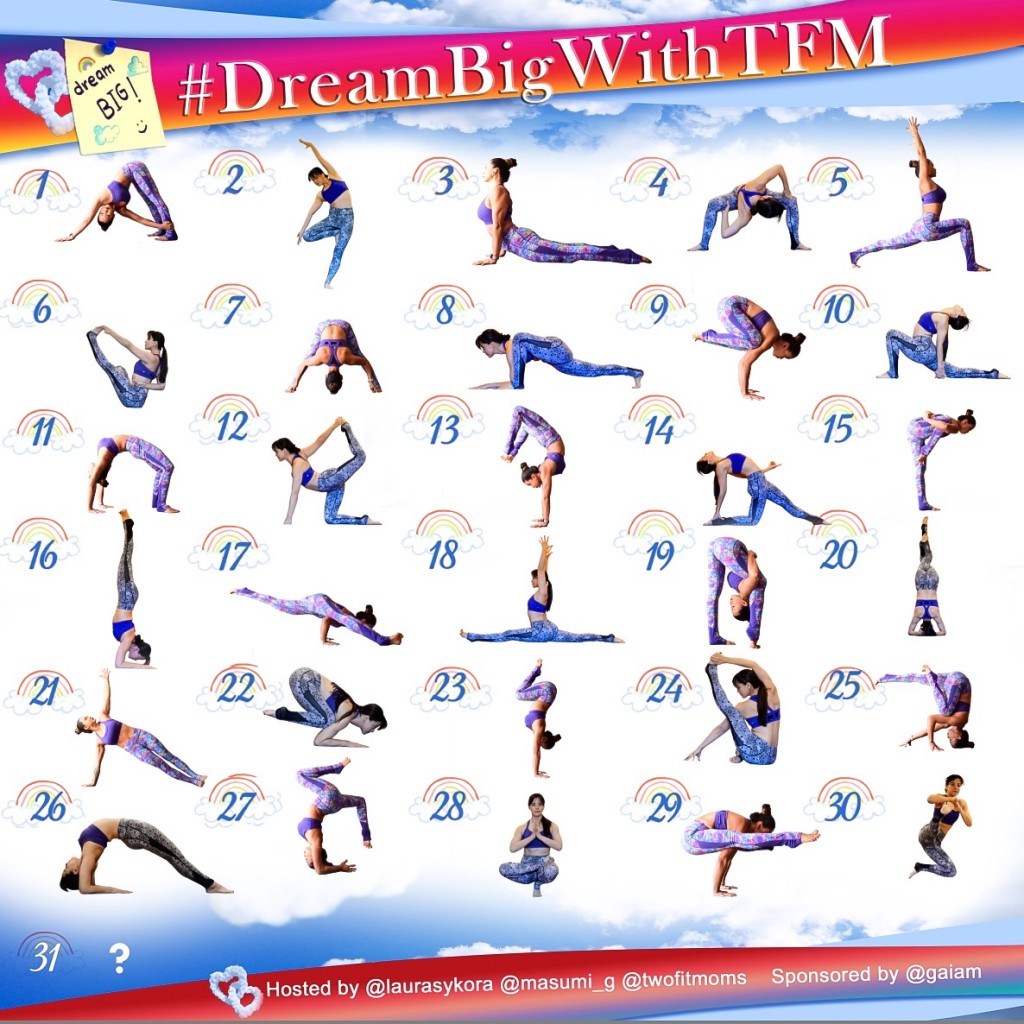
    Tonight, we kick off our March yoga challenge on Instagram by posting instructions for the first pose.  The theme this month is “Dream Big”.  We are gearing up for the launch of our new clothing line with Gaiam in April, and honestly, it wouldn’t be happening if we didn’t start with a dream.  DreamBigWithTFM

    We want you to DREAM BIG, too, and develop a yoga practice that you love.  The goal of the challenge is to commit to your practice and to participate in some way, every day.  Can’t do all of the poses shown?  No problem.  Show us what you CAN do.  Modify. Get creative.  Have fun, and realize that you can be your own source of inspiration!

    For complete details about this challenge, follow @twofitmoms on Instagram, and find the full list of instructions for the challenge.

  • Insta-Inspiration

    Insta-Inspiration

    At any given time, you can open your Instagram app to find a vast collection of yoga photos from around the world.  How is this collection of yoga photos any different from a collection of photos that you might find in a yoga book?  Well, the difference lies in the magic of having a centralized hub for a massive community of yogis to come together—a virtual platform for yogis to meet and inspire one another on a daily basis.  In the inspirational world of Instagram, creativity runs rampant, and a traditional pose suddenly morphs into new and interesting shapes.  It’s only natural that with many minds at work, many unusual variations of yoga poses will be born and shared.

    Here are six of my favorite yoga pose variations that were inspired by Instagram posts.  Without this social media platform, I’m not sure if I would have ever seen or attempted these postures.  In 2015, I encourage you to get inspired, get excited, and add some variety to your practice.  Perhaps these interesting variations will be the poses that you attempt this year.

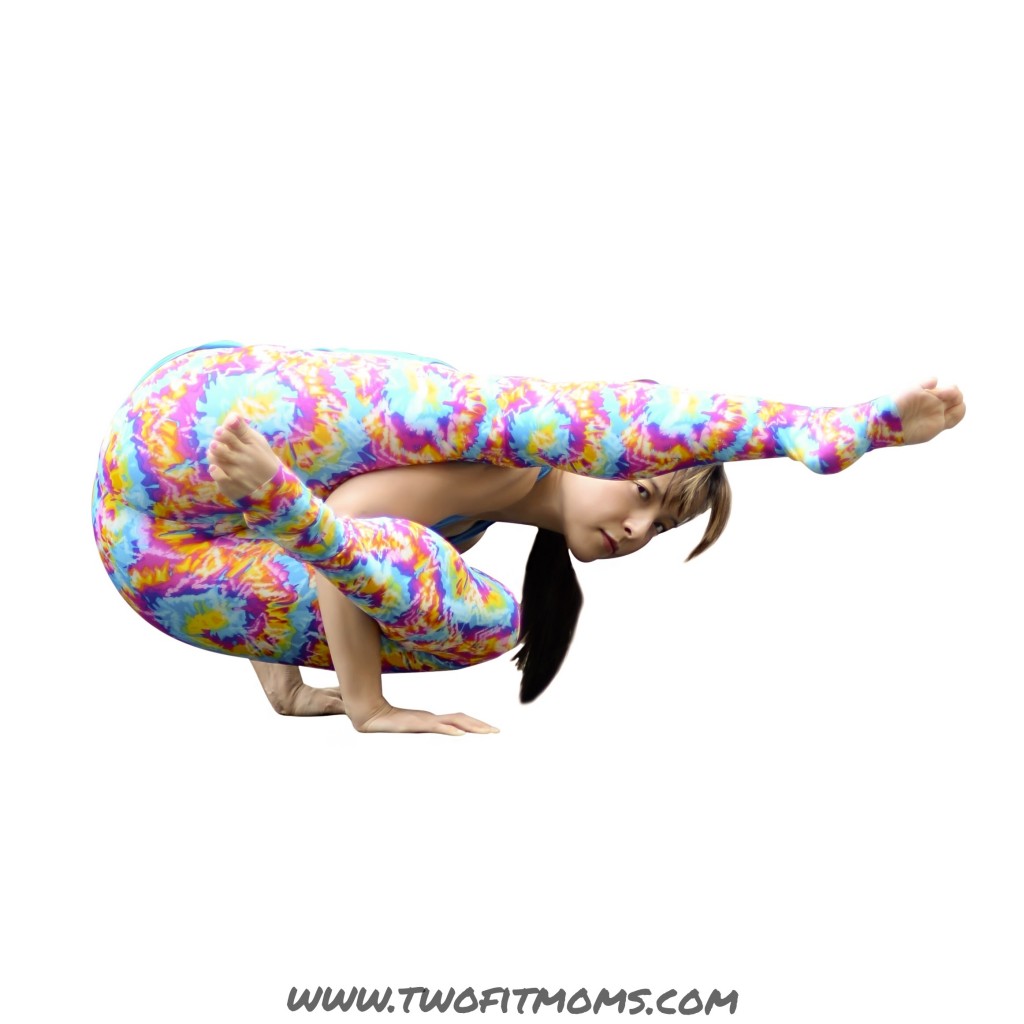
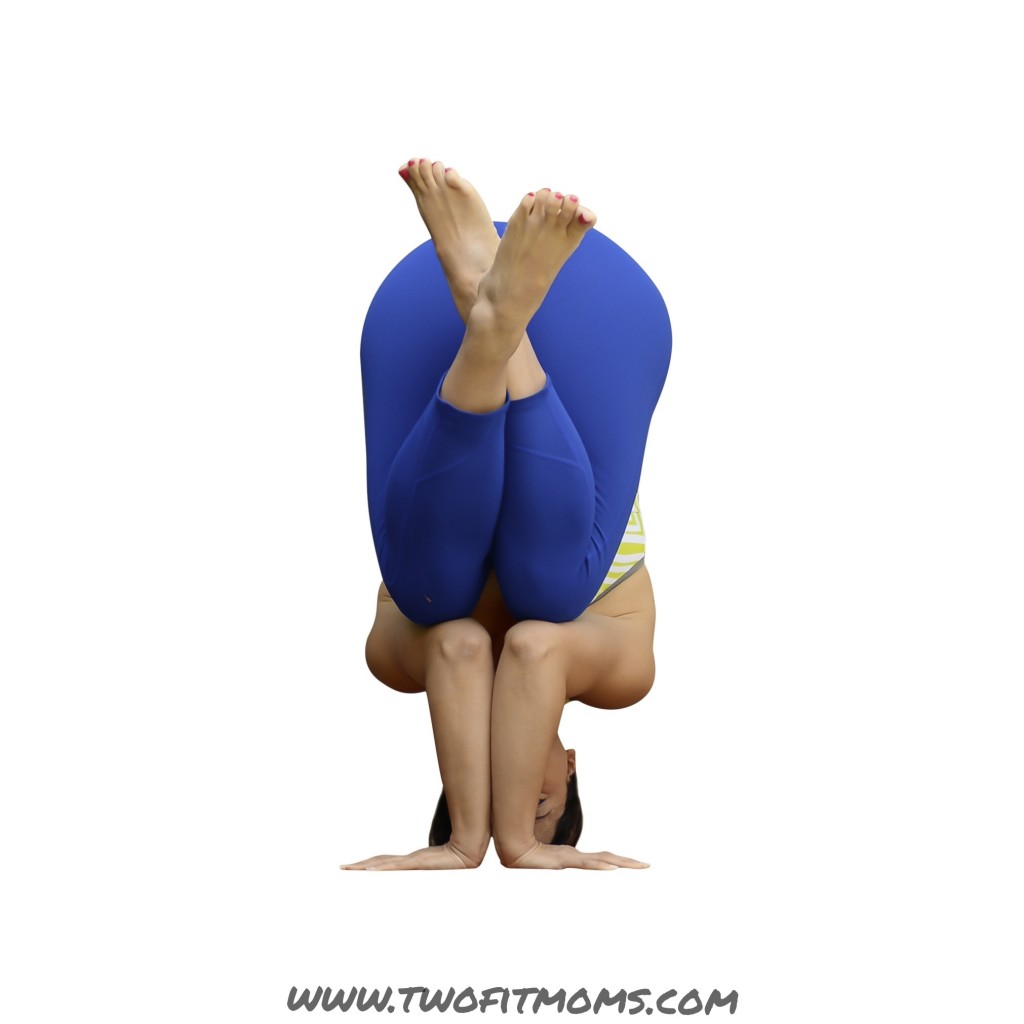
    Here’s a new arm balance for you to try.  It starts out innocently enough as Elephant’s Trunk Pose (Eka Hasta Bhujasana).  It then transforms into this funky shape when the top leg (which usually hooks over the shoulder) straightens, and the bottom leg wraps around an arm.  If you are new to arm balancing, skip this pose and head right over to our crow pose tutorial, which is more appropriate for a first timer.  Still unsure?  Get inspired here.

    Photo Oct 31, 9 36 42 AM

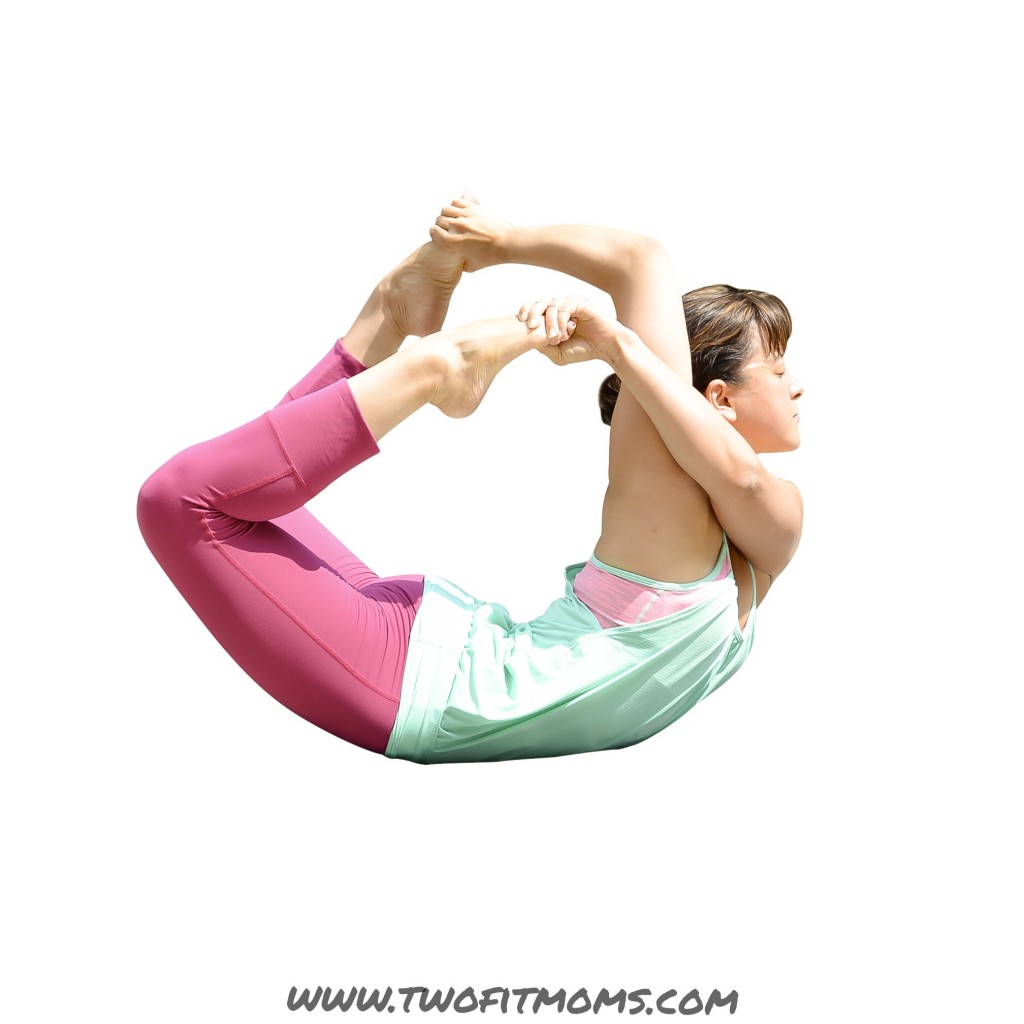
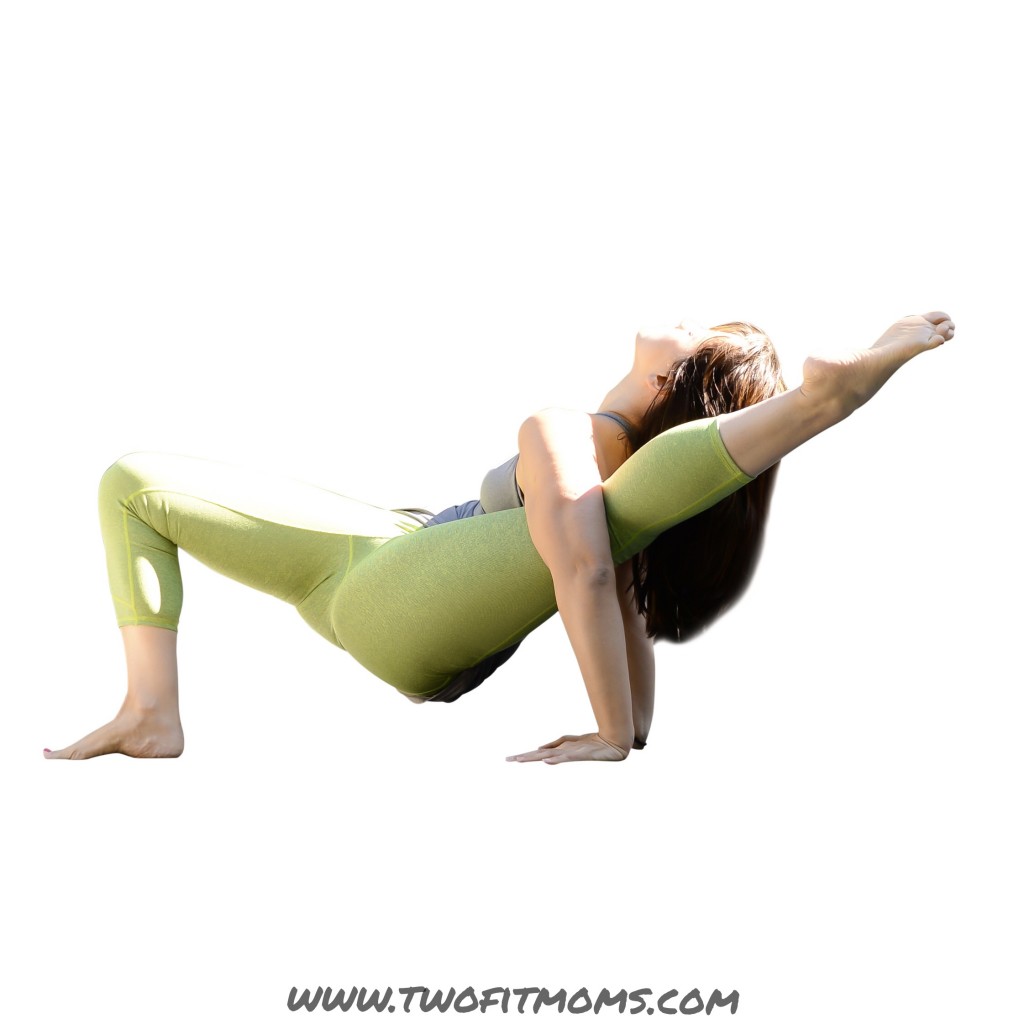
    If the elusive overhand grip is part of your practice, attempt this variation of bow pose, which comes complete with an arm scarf.  If an overhand grip is not yet accessible, you can still receive the same heart-and-shoulder-opening benefits by practicing the five front-body stretching exercises presented here.Photo Aug 20, 11 50 49 AM


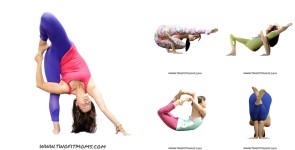
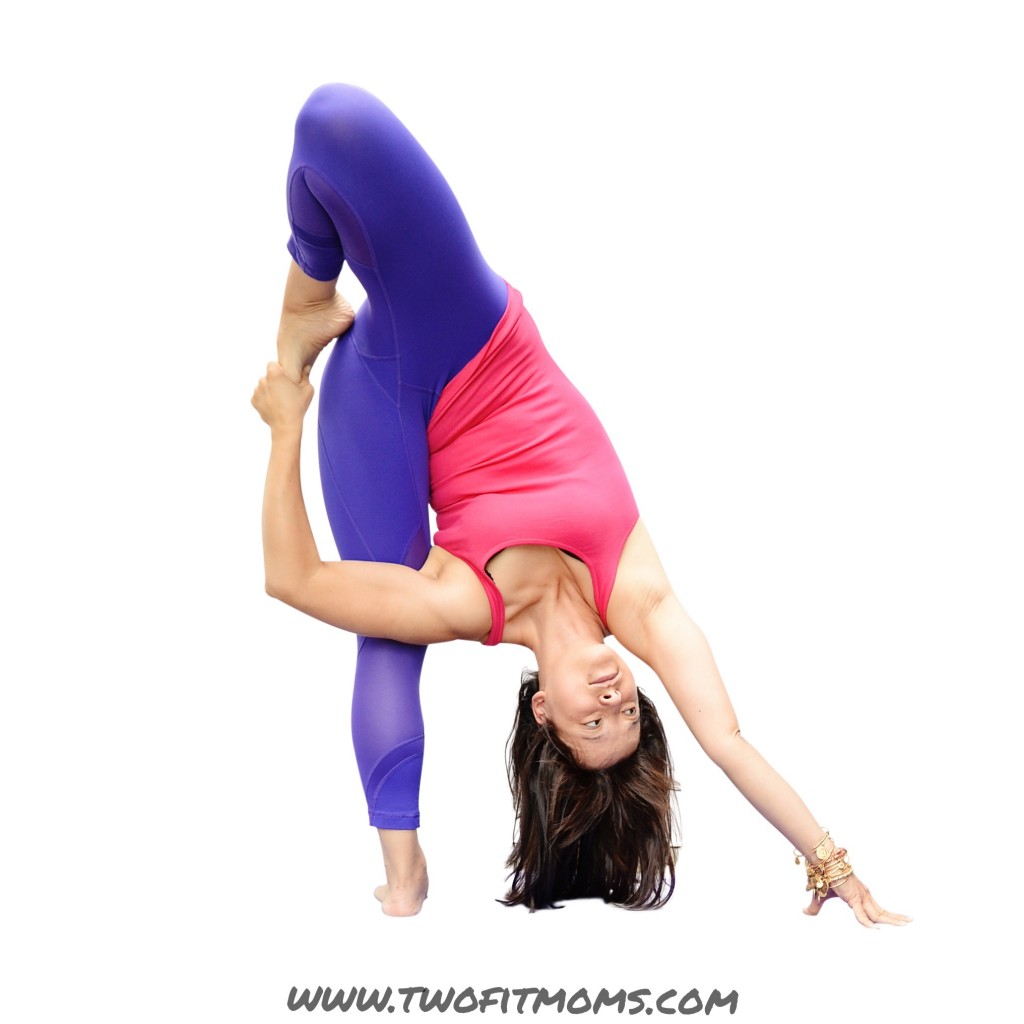
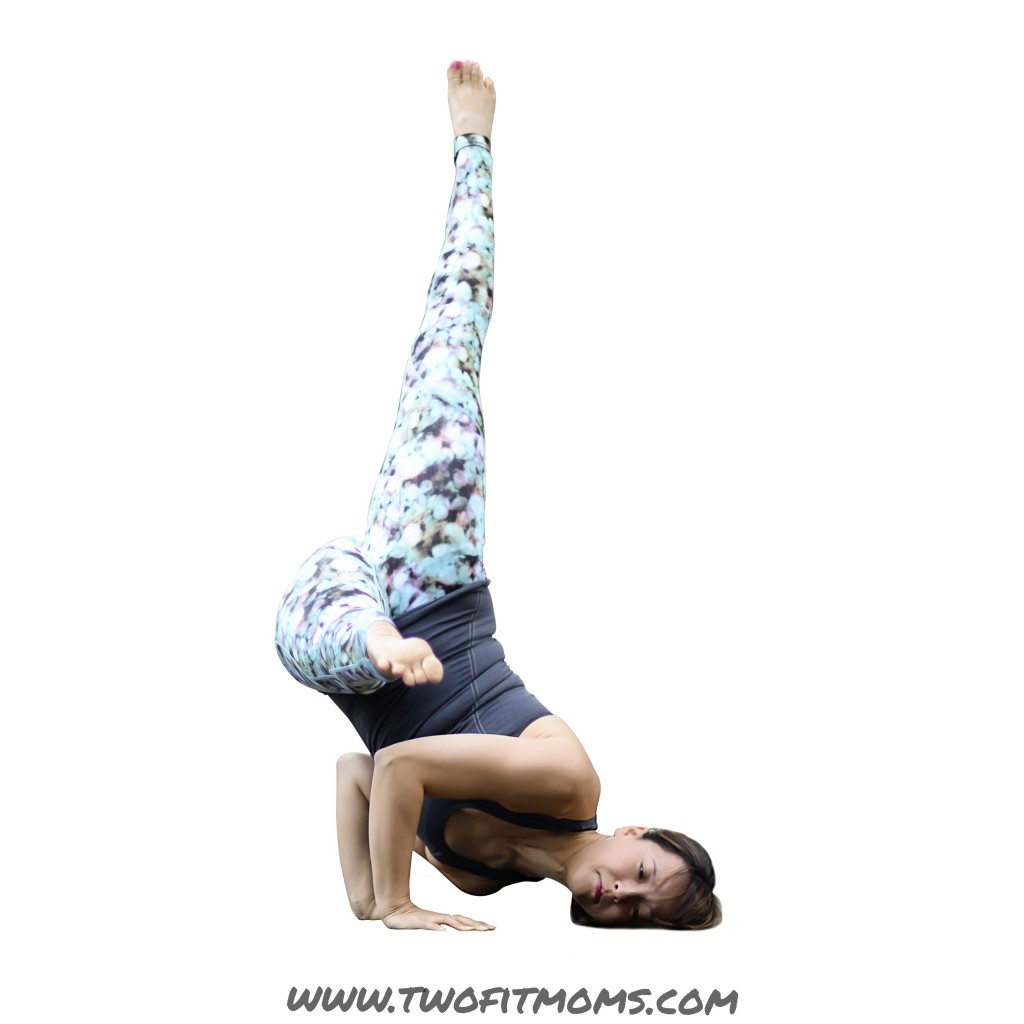
    This looks like a standing split variation, but it makes most sense to start in lizard pose.  Once in lizard pose, wiggle your front shoulder under your knee.  If you feel comfortable with your shoulder under your knee, rise back up onto your hands and begin to straighten the front knee while simultaneously lifting the back leg from the ground.  Once you find your balance, bend the lifted leg and reach for your foot with the opposite hand.  This is an advanced pose that requires hip flexibility, hamstring flexibility, balance and strength.  Is it necessary to ever achieve such a pose?  Of course not.  You will receive many of the same benefits by doing much more accessible hip stretches and hamstring stretches.

    Photo Jun 29, 9 53 27 AM

    Once you’ve mastered the tripod egg headstand, challenge yourself by pressing the forearms together and pointing the hands away from one another.  Remember—when practicing any inversion in the middle of a room, you must have an exit strategy!  Stay safe, and have fun.

    Photo Aug 14, 11 02 43 AM

    When you’re ready to take your compass pose to a whole new dimension, give this variation a try where both hands are planted on the ground and the hips are lifted from the mat.  Still working on getting your leg over your shoulder?  No problem.  Skip this pose, and open up the hips.  Maybe you’ll surprise yourself by getting into Elephant’s Trunk Pose.

    Photo Sep 23, 10 21 58 AM

    Is it an inversion, an arm balance or some hybrid of the two?  You decide.  Start out in Fallen Angel pose, and then lift the bottom knee from the tricep.  Feel free to stay in a hovering version of Fallen Angel or straighten the lower leg so that the foot points in the same direction that you are facing.
    Photo Oct 27, 5 32 59 PM

  • 5 Favorite Posts from 2014

    5 Favorite Posts from 2014

    Here they are…your five favorite posts of 2014.  A mixture of yoga, Instagram, and nutrition.  In case you missed these articles the first time around, here is a quick recap.

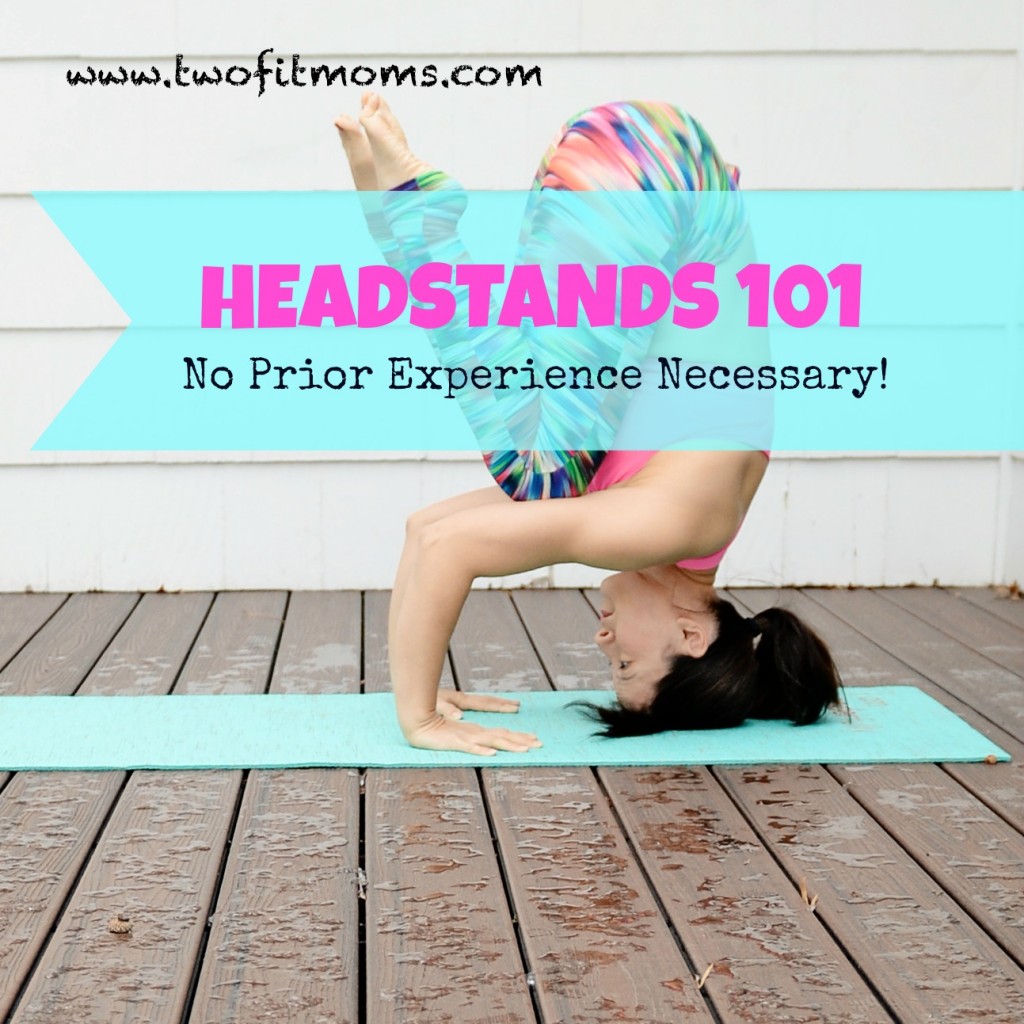
    Headstands 101:  Your First Inversion
    If you want to invert, but you don’t know where to begin, start here.  Even if you have no previous experience in gymnastics, yoga or dance, we will teach you an accessible way to do a headstand—safely and without fear.

    Headstands101

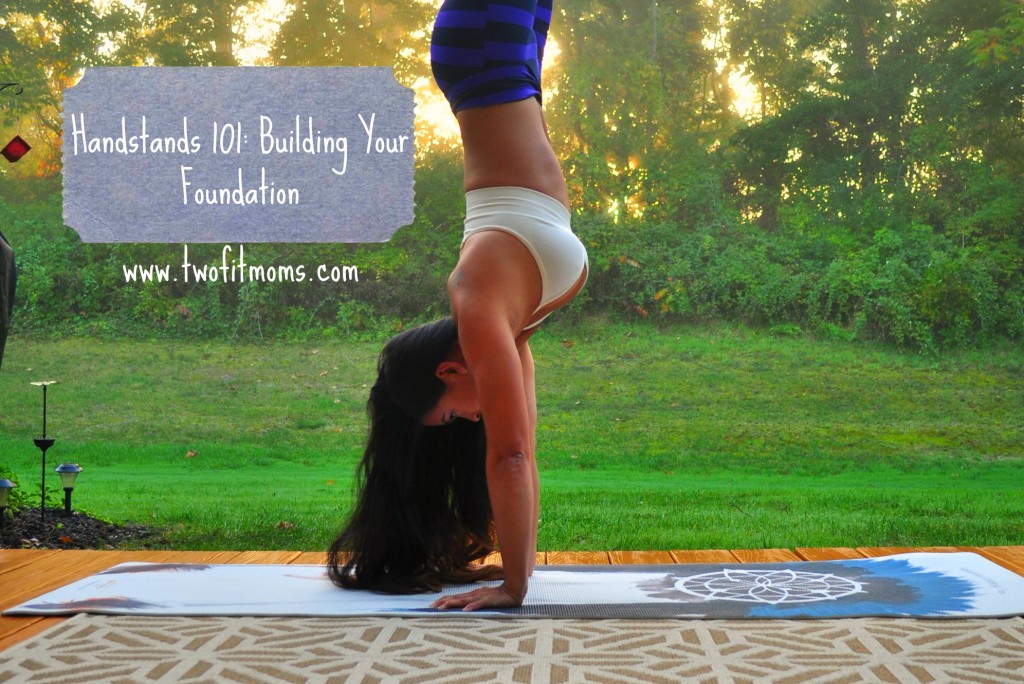
    Handstands 101—Building Your Foundation
    Once you’ve mastered the headstand and forearmstand, you are ready to move on and fly high in a handstand.  Let this article be your first introduction to handstands.  Start here with a “can do” attitude.DSC_6079

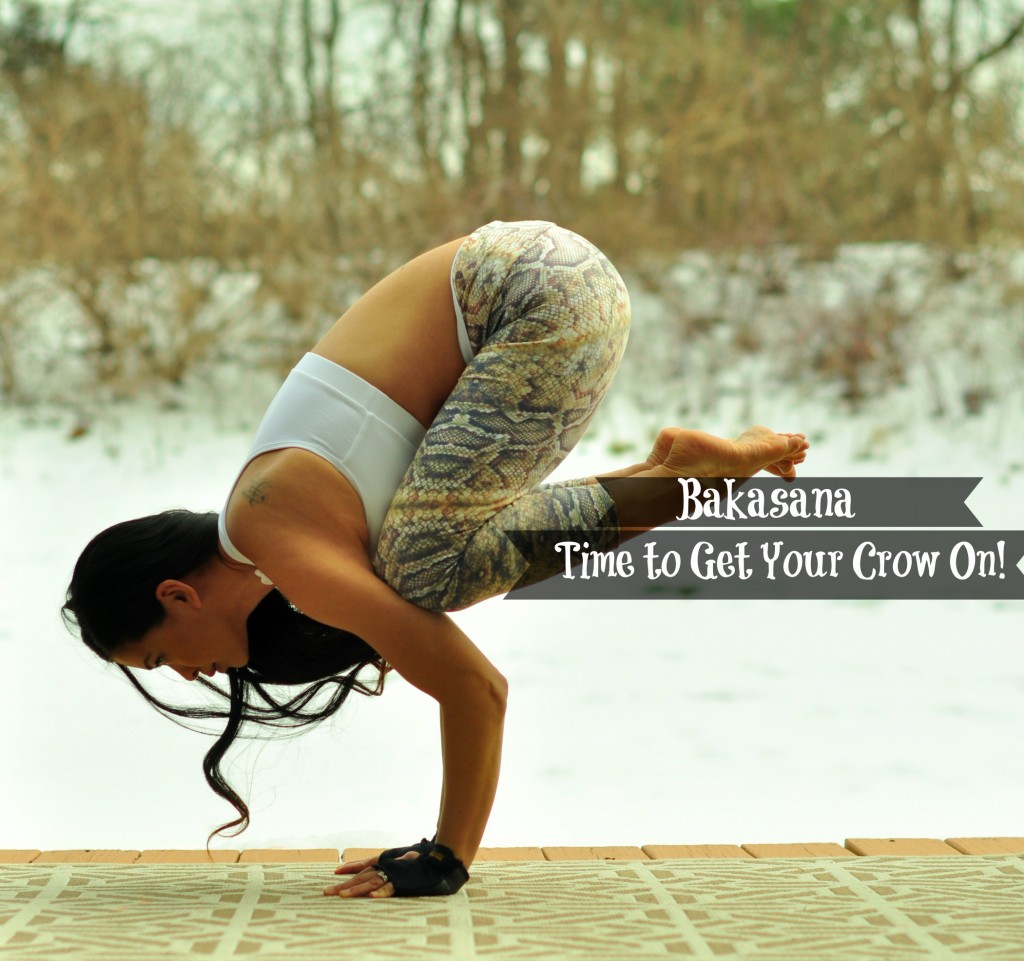
    Bakasana:  Time to Get Your Crow On
    Crow pose (or Bakasana) is often the first arm balance that you’ll learn on your yoga journey.  If you’re ready to get started, grab a yoga block and a bed pillow.  We will guide you through this powerful pose, step by step.bakasana 3

    Banana Oat Muffins
    This article was shared over 4,200 times across Facebook and Pinterest.  We get it.  You can’t beat a healthy, gluten-free muffin that only requires five ingredients.  Try this recipe in 2015, and let us know what you think.  And don’t forget to check out our other Best Recipes of 2014.BananaOatMuffinRecipe

    Instagram Quick Tip:  AfterFocus App
    If your Instagram yoga photos are plagued by cluttered backgrounds or distracting details, we have the app for you.  In less than a minute, you will blur the background and bring yourself into focus.  Check out this article, as well as our other Instagram Quick Tips from 2014.AfterFocus

  • December Yoga Challenge Winner!

    December Yoga Challenge Winner!

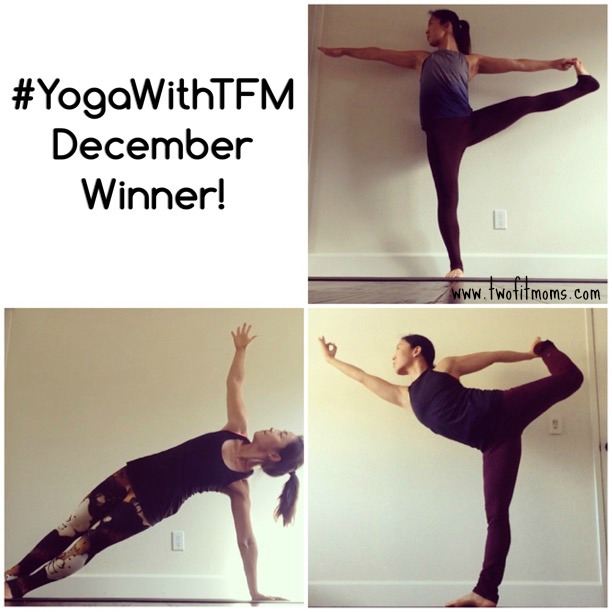
    We are excited to announce the winner of our December Two Fit Moms yoga challenge on Instagram! Congratulations to @jinhee_1017 for successfully completing all ten days of the challenge.

    dec winner with logo

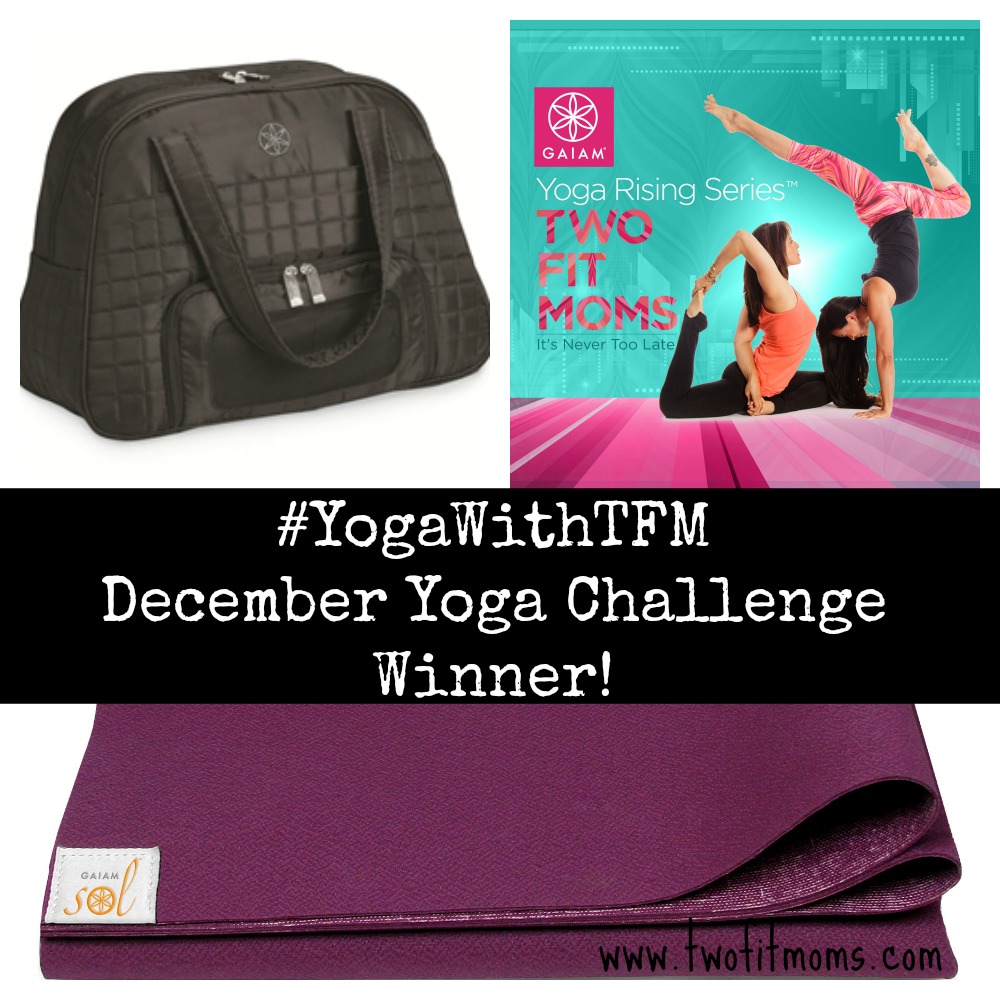
    Please contact kate@twofitmoms.com to claim your Gaiam Sol prize package that includes: a Gaiam  Sol Travel Mat in Mulberry, a Black Everything Fits Gym Bag and a free download, from the Gaiam.com website, of our Yoga Rising series!

    decwinnercollag

    Thank you all for participating!


  • Instagram Quick Tip:  Video Cropping

    Instagram Quick Tip: Video Cropping

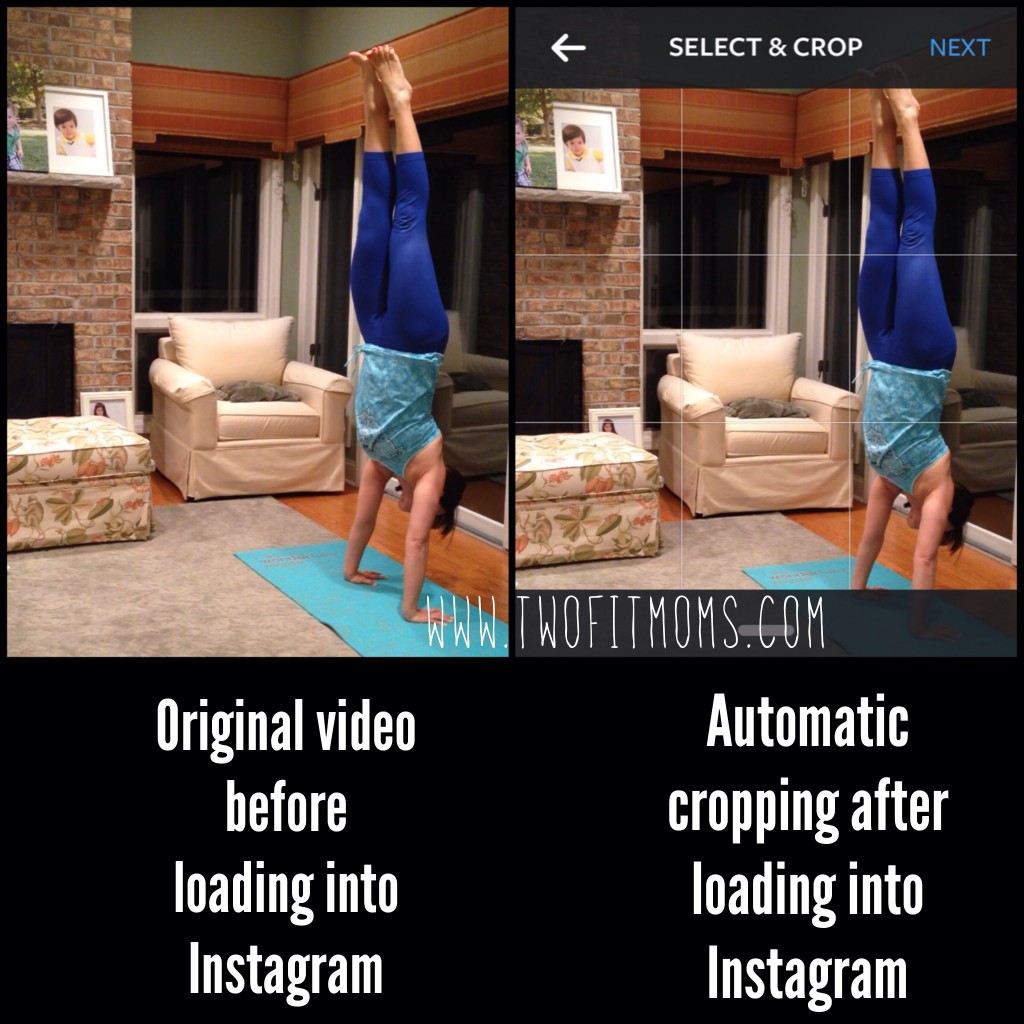
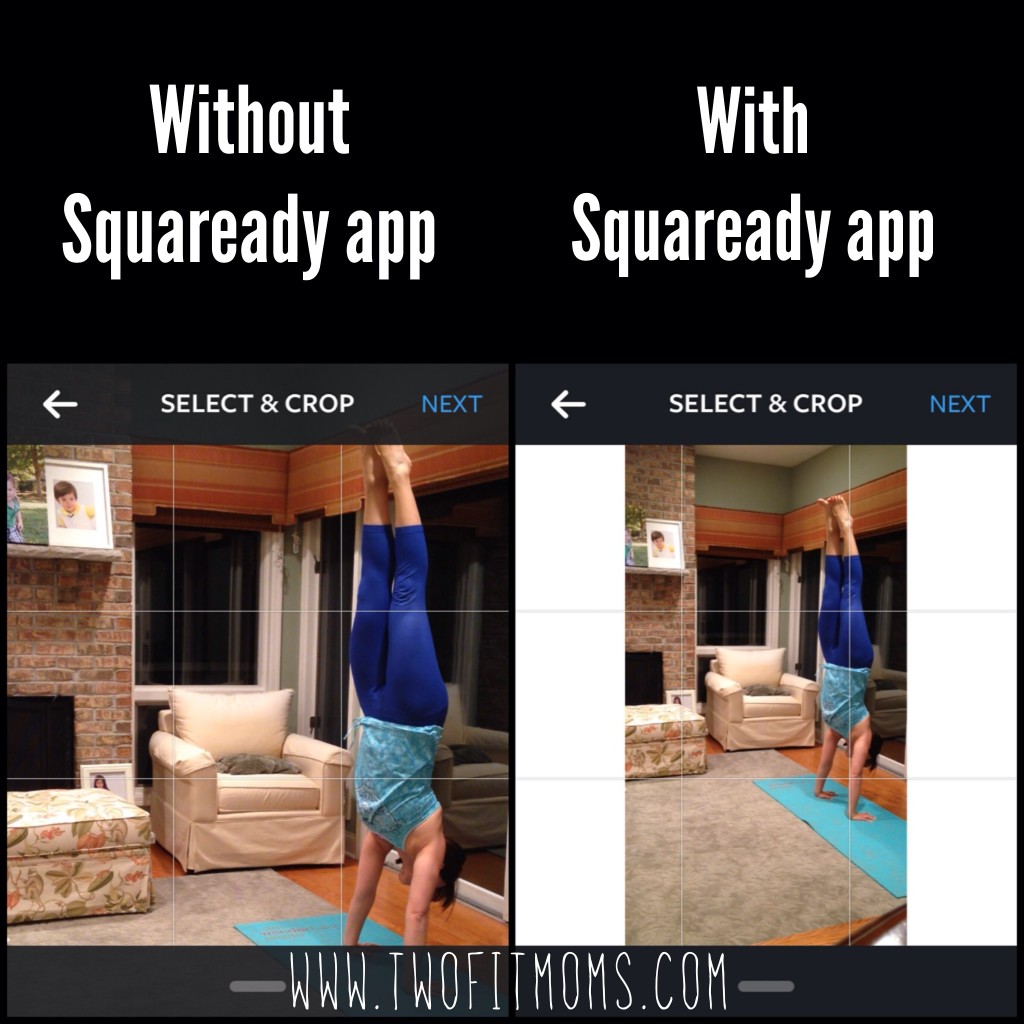
    About a year ago, Instagram moved into the realm of video sharing. Now, not only can you share your favorite photos with the world, but you can also share your favorite 15-second video clips. If you are already familiar with Instagram, you know that the format of this photo/video-sharing app allows you to post a square-shaped image. This sounds reasonable enough, until one day, you load an amazing panoramic or vertical video onto Instagram and discover that the automatic square-shaped cropping results in some of your body parts or some of your amazing view being cropped out of sight.AutomaticCropHandstand

    The image on the left is a screenshot of a video that I took on my iphone. Looks great, right? The image on the right is a screenshot of the automatic cropping that occurs as soon as the video is loaded into Instagram. My legs and hands are cut off!!

    No need to panic.  Gone are the days of having to re-shoot your video to adjust your distance from the camera.  Here are two of our favorite video cropping apps to help you navigate the Instagram world of square cropping.

    Video App 1: Squaready for Video App
    Download the free “Squaready for Video” app onto your phone. Upload your video into the app, and it will automatically put your full video into a square shape by adding borders in the color of your choice. This is a great option if the subject of your video occupies a large portion of the frame, as shown in my example. This app allows you to maintain the entire image without any square cropping at all. When you upload your video after using the Squaready app, your video will appear in Instagram as shown below.  As you can see, I’ve chosen white borders to fill in the empty portions of the Instagram square.

    SquarereadyHandstand

    Video App 2: Video Crop & Zoom
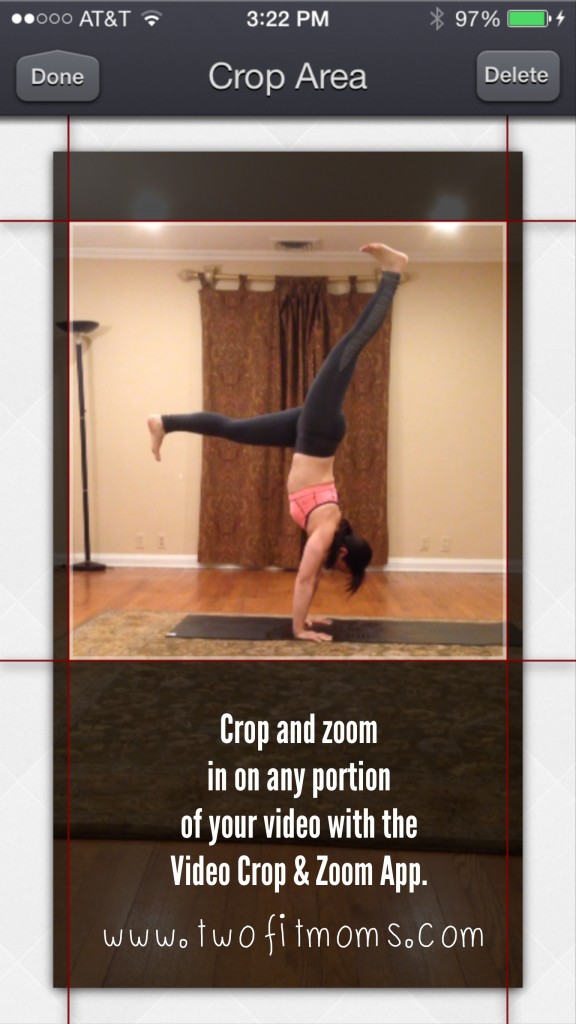
    The second video app that we love is the “Video Crop & Zoom” app. This app allows you to zoom in on any portion of a video and crop it into a square shape for Instagram as shown below. By having the capability to zoom in on the subject, you can eliminate unwanted background/foreground.

    CropandZoom

    Although this process is a bit more time consuming than just loading the video directly onto Instagram, I prefer having a video that fills the full square frame.


    Download one or both of these apps!  You may find that both of these apps are helpful in different situations.

    If you would like to see any other Instagram Quick Tip topic covered, please leave us a message!

  • Instagram Quick Tip:  Creating Inspirational Posts

    Instagram Quick Tip: Creating Inspirational Posts

    When I first joined Instagram, I found myself taking lots of screenshots of inspirational posts— amazing quotes, yoga photos, running trails, exotic locations, and fitness routines.  As I scrolled back through these captured images on my phone’s camera roll, I realized that most of Inspirationthese posts had one thing in common:  they all had some sort of caption or inspirational quote right on the image itself.  I assumed that these images were all professionally produced until I came across the Over app.  Over will help you create your own inspirational image by quickly adding a quote or your own motivational words to a photo.

    There are many typography apps on the market, but this app is my favorite because of the variety of professional looking fonts that are offered, and the ease of use.  Even if you have very little experience with apps or photo editing, you will find this program to be intuitive and simple to use.  The app gives you complete control over the size, alignment and color of the font, so each photo can be customized to your liking.  If you are looking for a free version of this app, download Overgram instead.  The functionality is the same, but each image will be branded with an Overgram watermark unless you upgrade.

    Go ahead and give the free version of this app a try to see if you like it.  Think of your favorite quotes.  Look through your photos to find your most inspirational images.  Combine the two to create your own inspirational posts for others to enjoy and share on Instagram.  It’s fun, it’s easy, and you never know whose life you may touch with the right words and the right image at the right time.  Enjoy.

  • 10 Reasons I Do Instagram Yoga Challenges

    10 Reasons I Do Instagram Yoga Challenges

    Over the past year, Laura and I have been very active in the Instagram yoga community.  We’ve hosted some of the very first yoga challenges offered on Instagram, and we continue to remain active in hosting and participating in challenges today.

    Since our early days of posting very detailed step-by-step picture tutorials, we’ve watched thousands of people connect and grow a virtual Instagram yoga community just by attempting the GrasshopperPrepdaily pose of the day and posting a photo of their attempt to a designated hashtag.  What an overwhelmingly positive experience to watch Instagram yogis grow, inspire, and BE inspired!
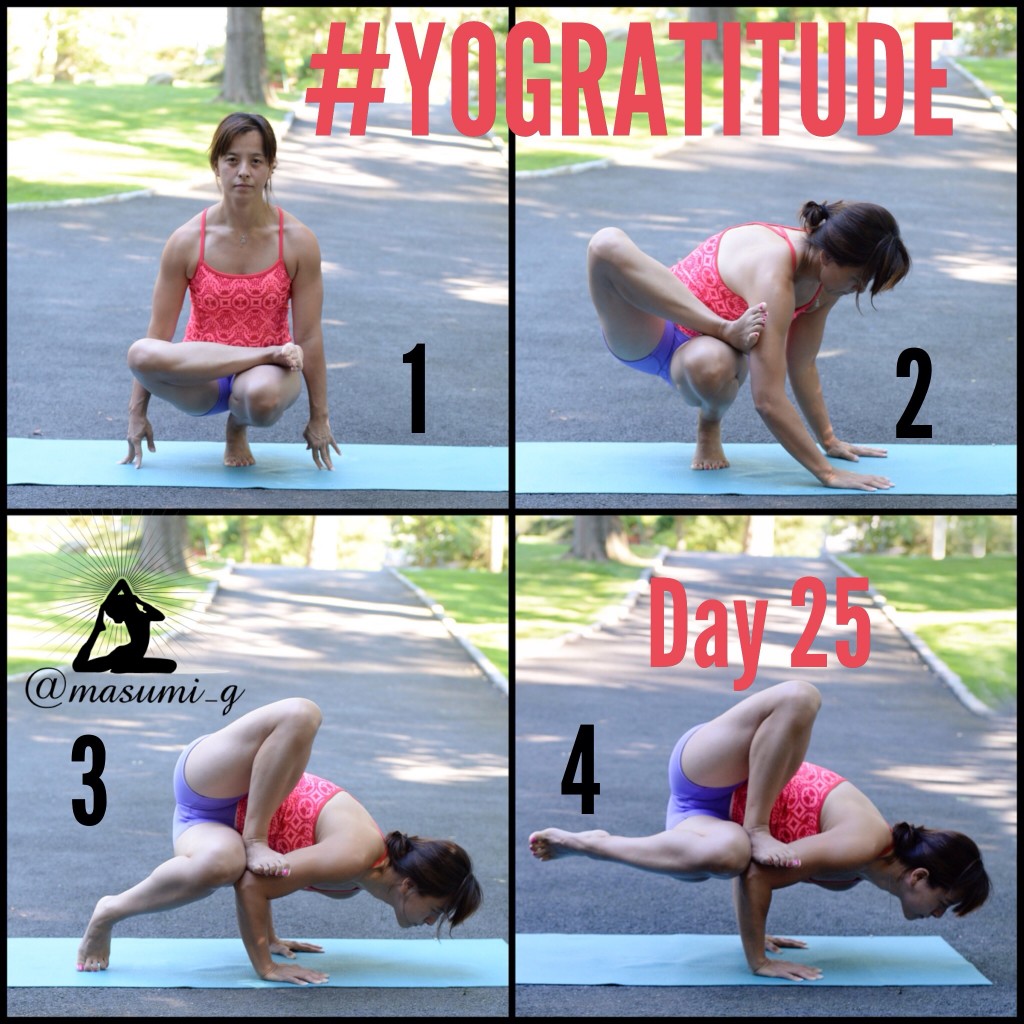
    If you have not yet given a challenge a try, I suggest that you pick one and get involved today.  Here are my top reasons for participating each month.

    It Creates a Daily Habit
    A daily yoga challenge makes you commit to a daily practice.  Let’s be honest—it’s hard to commit to a daily hour-long yoga session.  We are all tired and busy, but, I assure you that it feels much less overwhelming if we believe that we just need to stretch and warm up for one yoga pose.  This is a great way to take baby steps toward a longer more meaningful daily practice.  Get in the habit of rolling out your mat daily by participating in a challenge.

    It’s Fun
    Everyone loves a good challenge.  I still remember the first time I saw a photo of an arm balance pose on Instagram.  It looked incredible.  How was it even possible to balance in that way?!!!  I was fascinated and excited to get on my mat and try.  Perfecting the pose was not the goal.  The goal was to try, and practice, grow and play.  As adults, we rarely play.  Practicing new yoga poses each day awakens our inner child, and it’s just downright FUN.

    It’s Free
    Do I have to say more?  It’s free.  Free instruction, free participation, free fun, and often, you can even score a free prize!  Not everyone has the money to take a yoga class in a studio.  By participating in an Instagram yoga challenge, you can get your yoga fix without shelling out the big bucks.
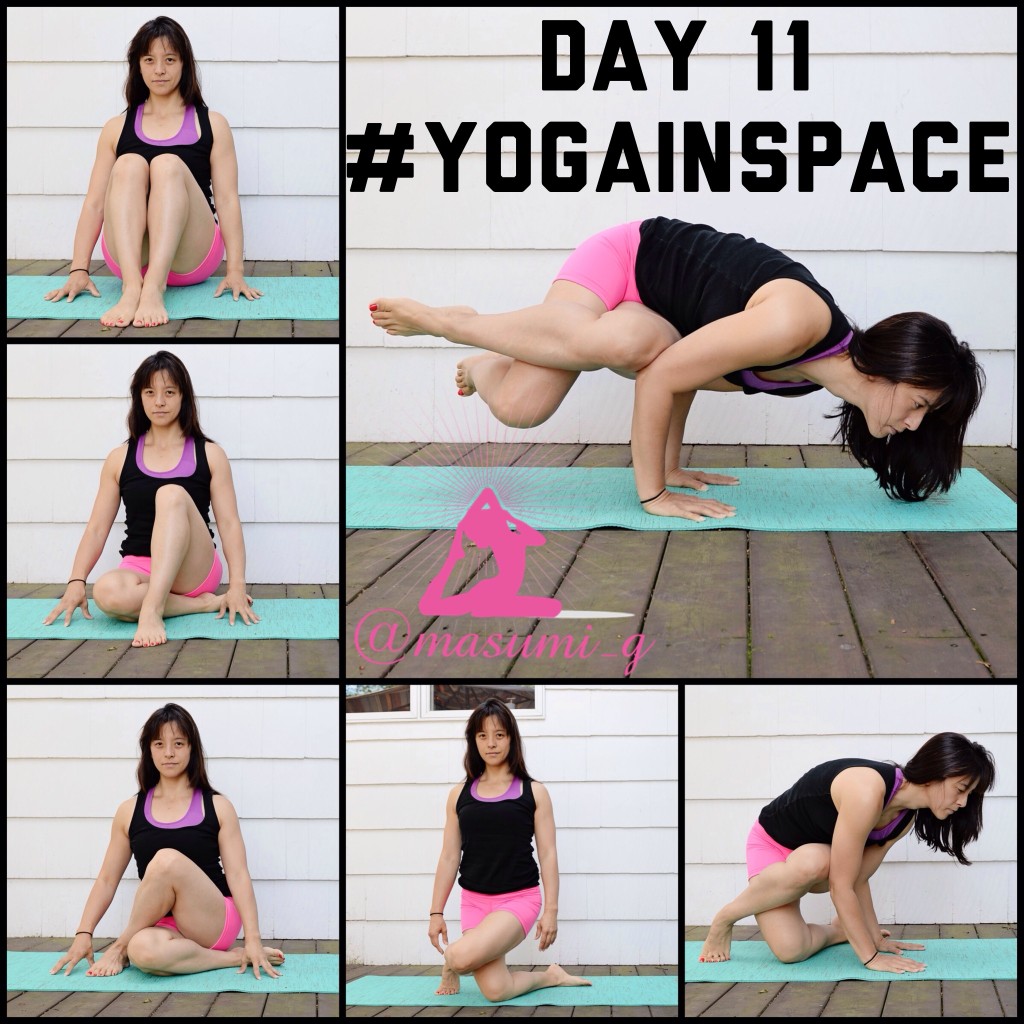
    SideCrowIt’s Inspiring
    It’s incredibly inspiring to look through a yoga challenge hashtag and see thousands of yogis from all walks of life doing the same pose.  These yogis are different ages, races, sizes and nationalities, but they have all come together to participate and grow in their practice.  Seeing a yogi that is twice your age is inspiring.  Seeing a parent and child together attempting a pose is inspiring.  Seeing yogis that are overcoming sickness and pain by using yoga as a healing tool is inspiring.  All of this inspiration will make you want to come back day after day and practice with the Instagram community.

    It Can Be Done from Home
    Some people don’t have the money to take a yoga class, and others don’t have the time to take a class.  As a mother of young children, it takes a village for me to be able to leave my house to do basic things—like shop for groceries or get a haircut.  Traveling to a yoga studio does not happen often, and it doesn’t happen without planning in advance for babysitters.  By getting involved with Instagram challenges, I can practice at home whenever it’s convenient—even if that means taking photos of poses at midnight.

    It Documents Your Journey
    For better or for worse, if you participate in a daily Instagram yoga challenge, you will have a visual record of each pose that you attempt.  In the beginning, seeing your poor form or lack of flexibility may be discouraging, but as time passes, you will be grateful for these photos.  It amazes me to look back at my old yoga photos and see how far I’ve come in my practice.  My posture, flexibility, strength and form have improved dramatically, and I am aware of the progress that I’ve made over weeks or months.

    It’s a Great Way to Meet Yoga Friends
    The Instagram yoga community is an amazingly supportive group.  Everyone is encouraging and supportive, and that is a great kind of environment to learn and grow in your practice.  When you join an Instagram yoga challenge, you get the feeling that you are a part of something greater than yourself.  As soon as you join a challenge, you are no longer alone.  You have joined a movement, and it feels amazing to get caught up in the positive energy and practice (virtually) alongside your new Instagram yogi friends.
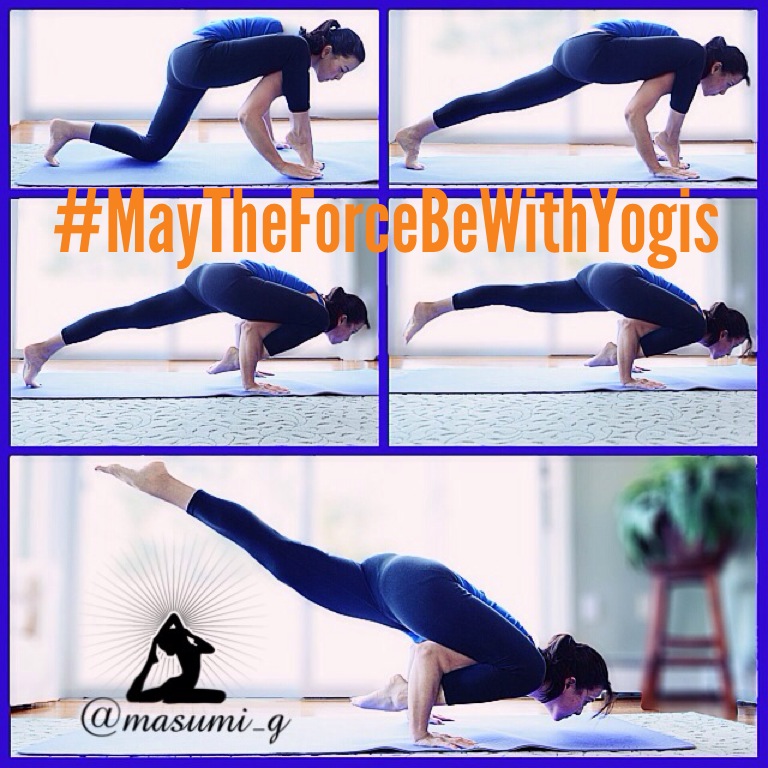
    FlyingLizardIt Creates a Well-Rounded Practice
    We all have our strengths.  We all also have our weaknesses.  I’ve found that when I practice yoga on my own, I have a tendency to work on poses that come easily to me, and I avoid working on the poses that target my weaker/less flexible body parts.  The wonderful thing about Instagram yoga challenges is that the pose of the day forces you to work on body parts that you might otherwise completely avoid.  If the challenge pose is a backbend, you will work on backbends, even if you dislike them.  If the challenge pose is a deep hamstring stretch, you will spend time stretching the backs of your legs.  I’ve found this aspect of the challenges to be very beneficial.  Rather than focusing on just the poses that I enjoy, I also work diligently on the poses that I don’t enjoy so much.  By doing this, I’ve become much more well-rounded in my practice than I otherwise would be.

    It Exposes You to Different Types of Yoga
    I used to think that there was one type of yoga—the kind where you sit with your hands in prayer and maybe do a warrior 1 pose from time to time.  The idea of doing yoga used to bore me to tears.  I had no idea that yoga could be a challenging, sweat-inducing workout.  There is a type of yoga for everyone, and the world of Instagram yoga has opened my eyes to it all.  Who knew that yoga could include inversions like headstands and handstands or arm balances that tested your strength, balance and flexibility?  Take a look through all of the available challenges this month and you will see how much variety yoga has to offer.
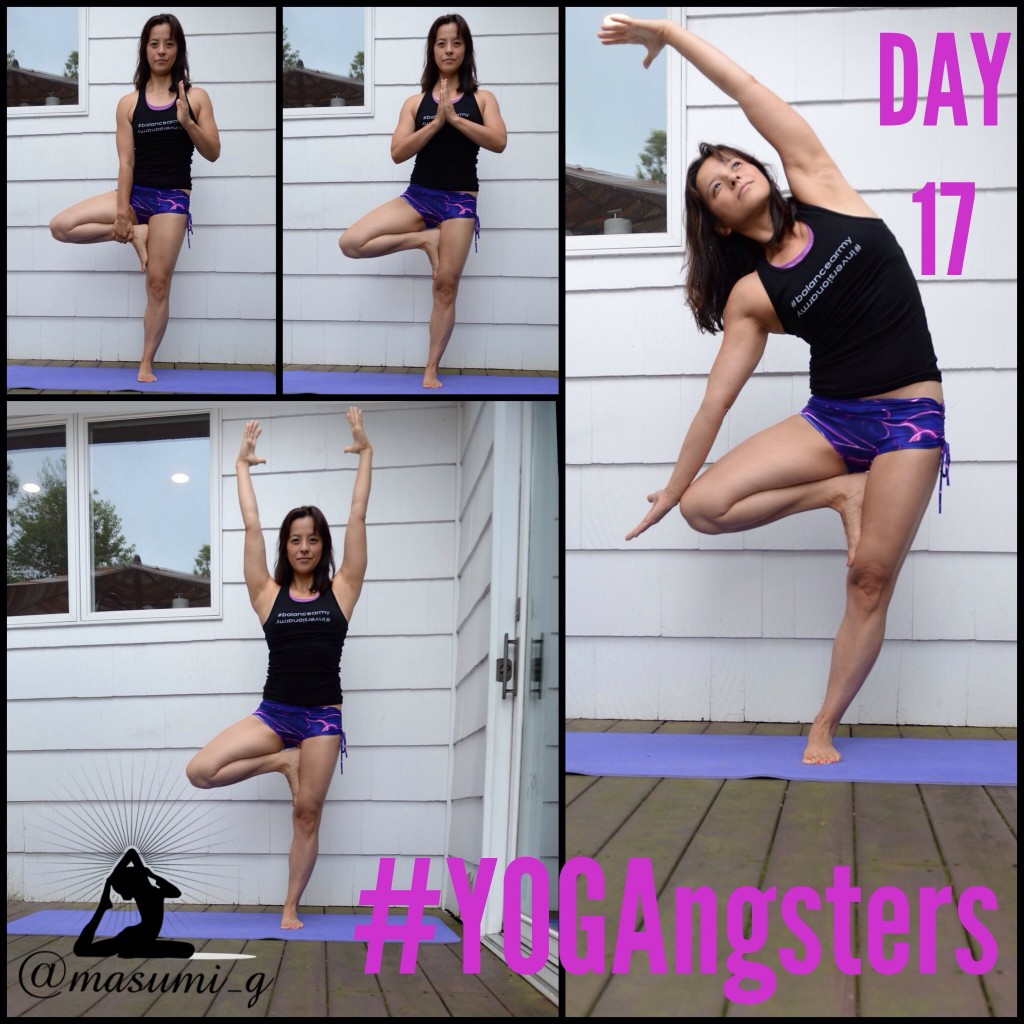
    TreeEnjoy the Non-Physical Benefits of Yoga
    If you join an Instagram yoga challenge and you’ve never tried yoga before, you might start out just enjoying the physical benefits of the poses.  That’s definitely the experience I had.  I would stretch, strengthen, sweat, take a photo of the pose of the day, and move on with my life.  Over time, however, I’ve noticed that my body has loosened up to the point where my practice has truly become a moving meditation.  I can find peace in each pose, as the poses become more accessible.    I am now able to focus on the present moment as I’m living it, and THIS is an invaluable skill on and off the mat.
  • Instagram Quick Tip:  Color Splash

    Instagram Quick Tip: Color Splash

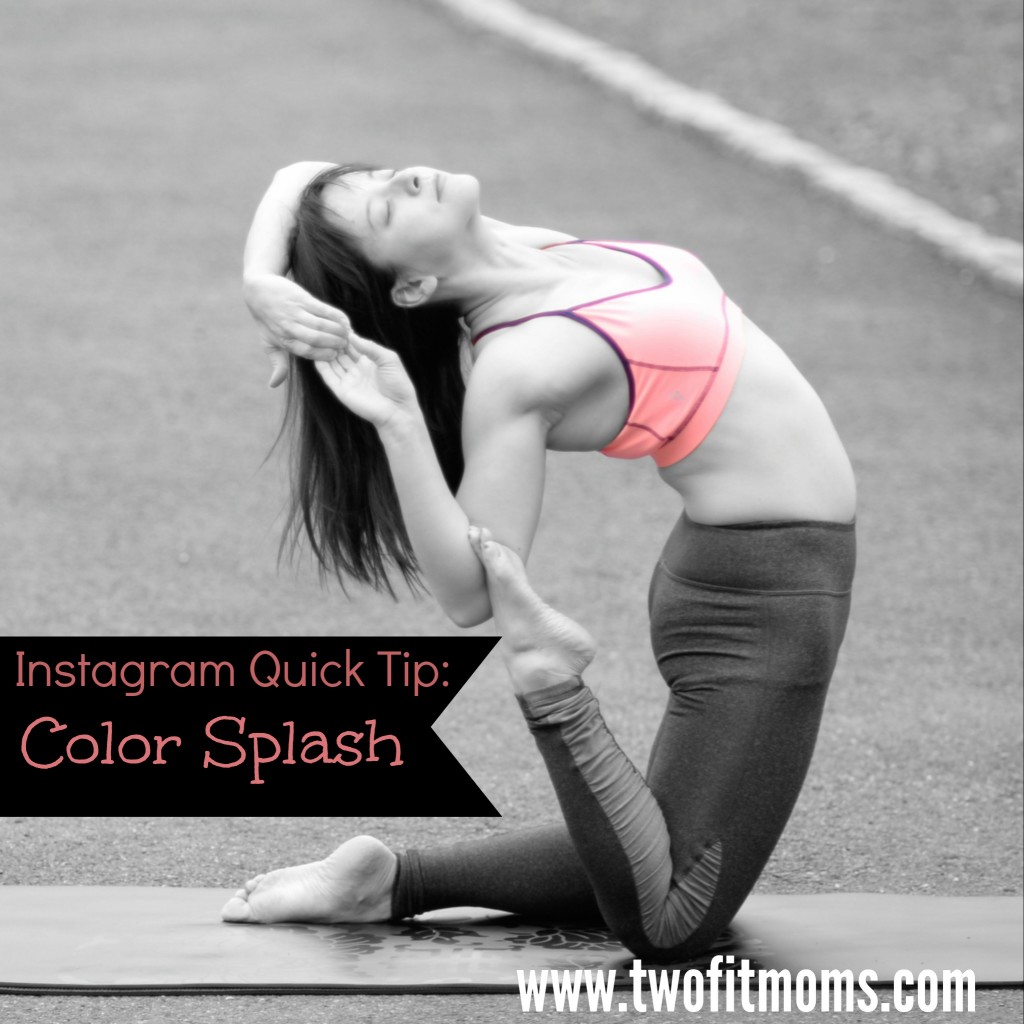
    Here’s another fun and simple app that I like to use from time to time:  Color Splash.  This app converts your color photo into a black and white photo, and then allows you to manually add splashes of color back into your image.ColorSplash

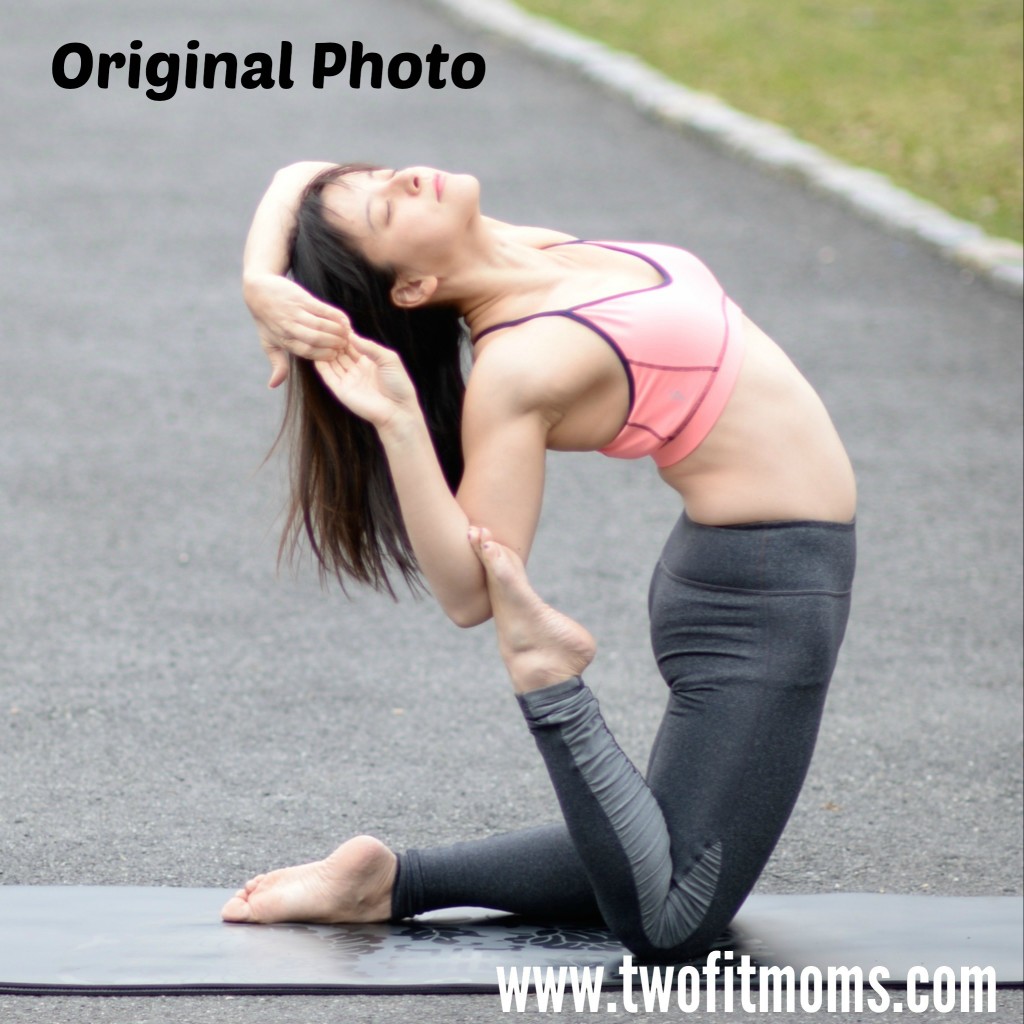
    When would you use such an app?  I find it most effective in two cases.  First, your image contains a bright pop of color that you want to accentuate.  Second, the bright pop of color in the full color version of your photograph is getting lost amongst many other colors in the photo.
    OriginalTake a look at my original photo.  It’s fine as is, but the bright pink color of my top is competing with the green grass in the background.  By converting the entire image to black and white, I can remove the background noise and focus on my clothing.
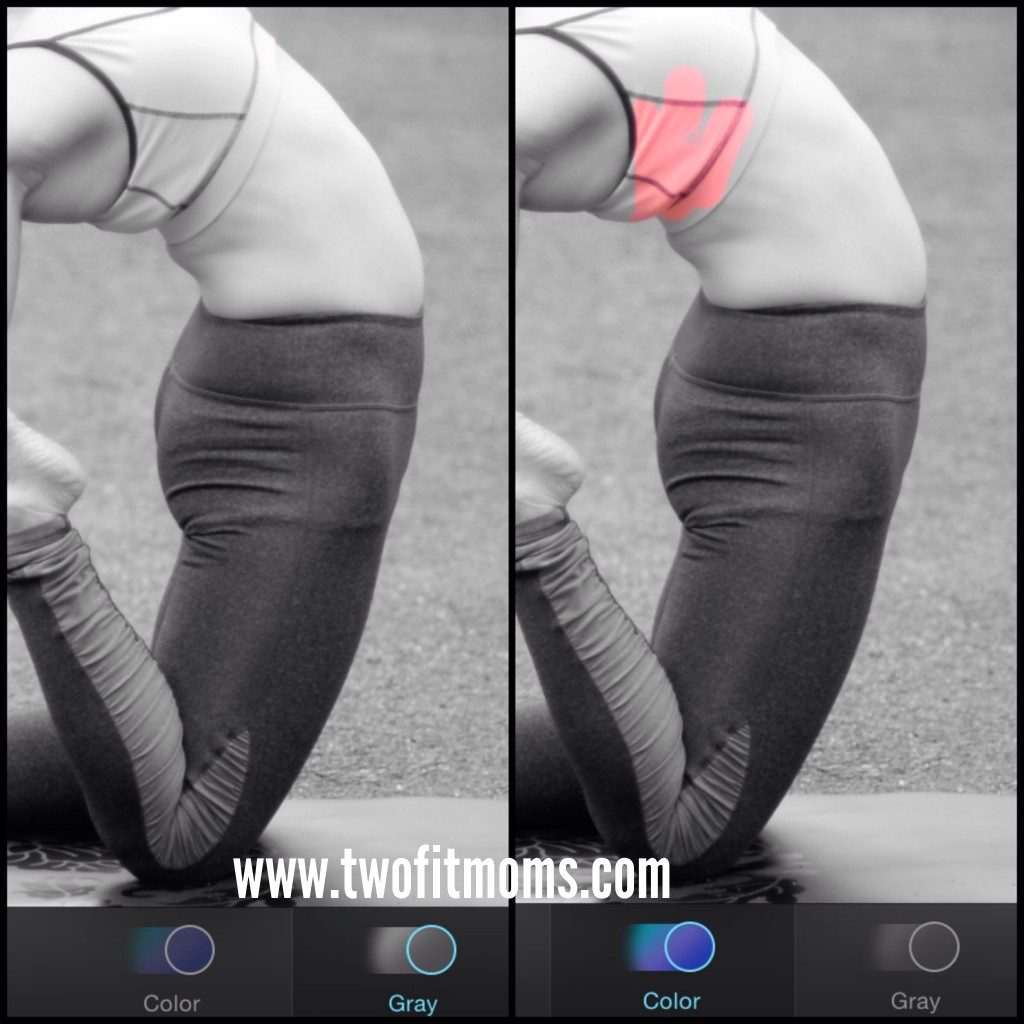
    The app itself is quite easy to use.  Once your photo is loaded into the program, it automatically becomes a black and white image.  Click on the “color” button, as shown on the bottom of each photo below.  Enlarge the image and begin adding color to the photo with swipes of your finger.  If you make a mistake, click on the “gray” button to erase the misplaced color.  The final effect is a dramatic image with a bright splash of color exactly where you want it.

    photo 1

  • Instagram Quick Tip:  Self-Timers for Everyone!

    Instagram Quick Tip: Self-Timers for Everyone!

    When I wrote my first Instagram Quick Tip article, I assumed that everyone was taking their own yoga photos with a self-timer. It has come to my attention that my assumption was incorrect, and it’s probably worthwhile to start at the beginning for any newcomers to Instagram.

    SelfTimerPic
    If you are wondering who takes my yoga photos, the answer is me.

    I take the vast majority of my photos using the interval timer function on my Nikon DSLR camera. I set my timer to automatically take a photograph every one to two seconds while I get into various poses on my mat. While it is wonderful to have a Nikon with a self-timer, it is unnecessary! Even if the only camera you own is the one that is part of your smart phone, you can take your own yoga self-portraits with an interval timer that you can download from the App Store.

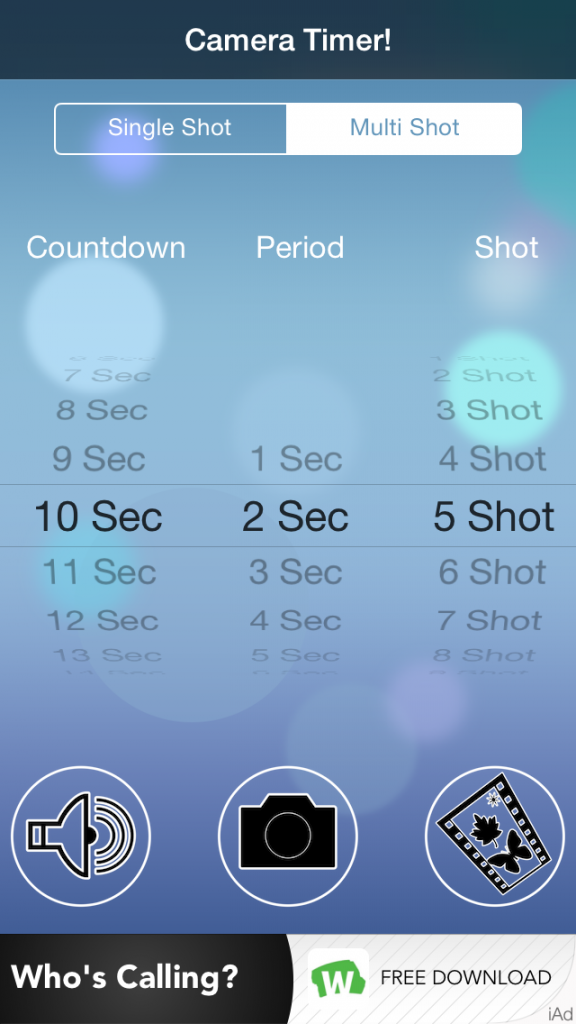
    On my iPhone, I use a free app called “Camera Timer”. I’m sure there are multiple interval timer apps available for either iPhone or android, so if you cannot find the specific app called “Camera Timer”, don’t panic.

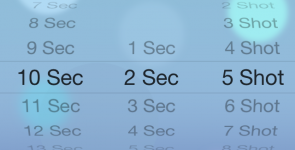
    Once you download the Camera Timer app, you will see that you have a single shot option or a multi shot option. I use the multi shot option every time. Why would you ever take one photo when you can take five?

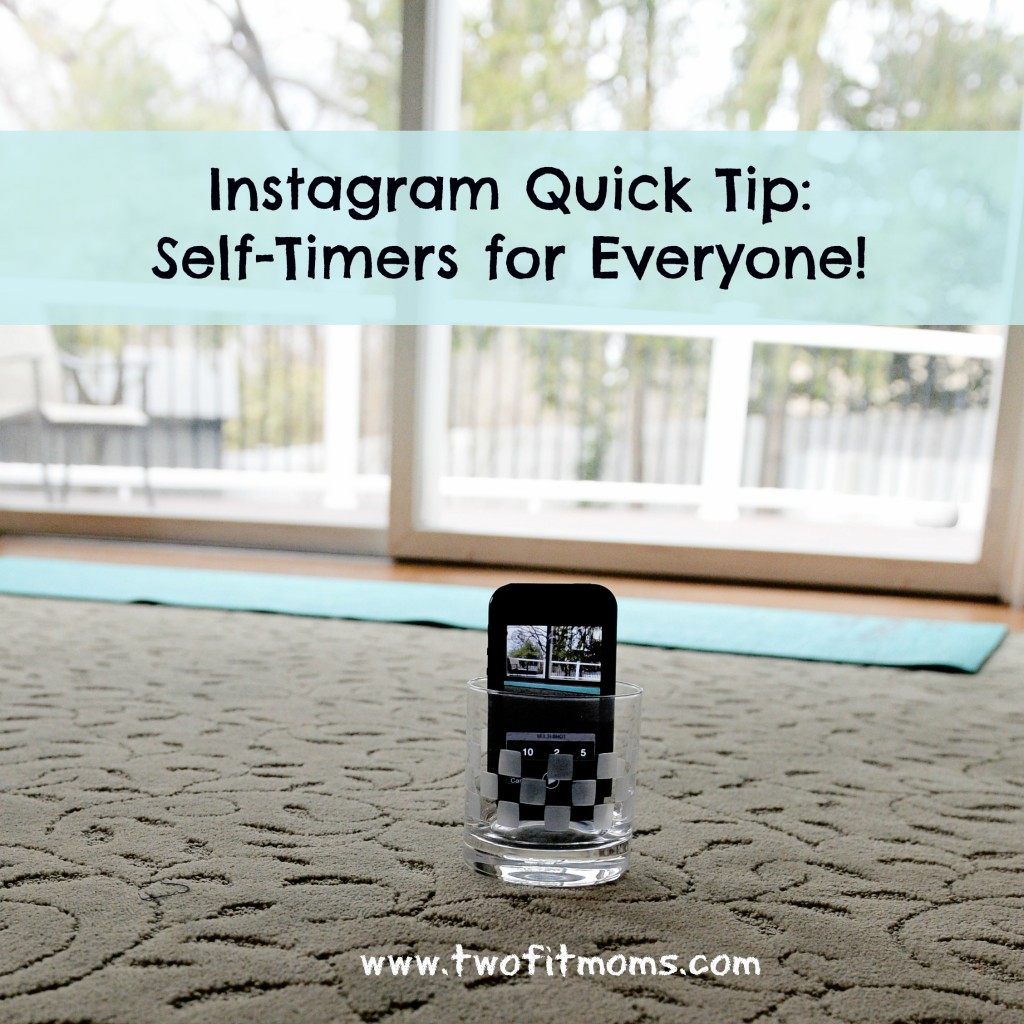
    2014-04-04 13.45.44First, set your “countdown”, which is the amount of time that you think you need to get from your phone to your yoga mat and get into your first pose. You might need anywhere between 10 and 20 seconds. Play around with this number. You can also set your “period”, which is the length of time between photos. I prefer two seconds between shots. Finally, you can decide on how many photos you’d like the camera to take. Five photos always seems like a good number to me. Once you set your “countdown”, “period” and “shot”, you are ready to go. Place your phone into a short glass (as explained in my first Instagram Quick Tip article) , and start your timer!
  • Instagram Quick Tip:  AfterFocus App

    Instagram Quick Tip: AfterFocus App

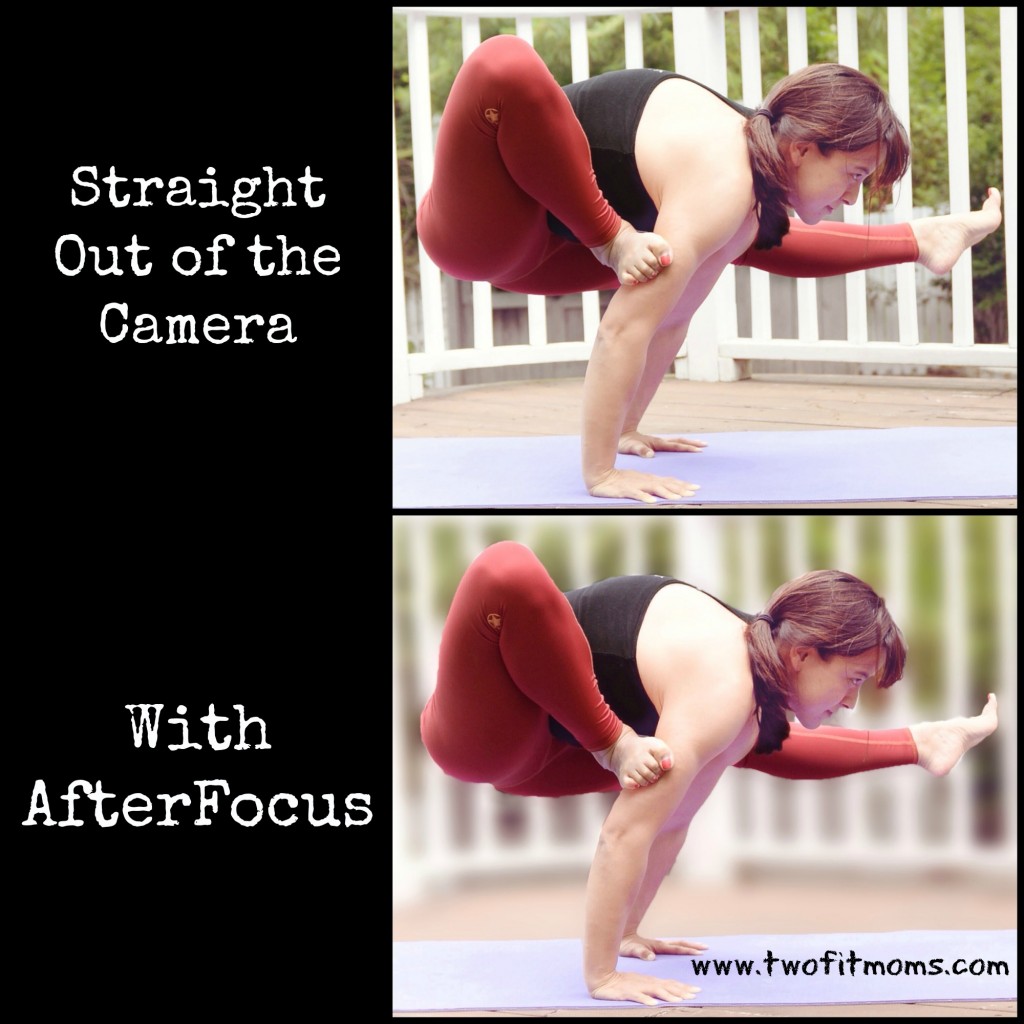
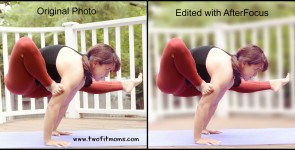
    One of my yoga students recently asked me if I had an app that would clean her house.  I laughed, but then I realized that for Instagram purposes, I had an app that virtually accomplished the same thing.  Do you find that many of your Instagram yoga poses are plagued by cluttered backgrounds or distracting details?  If so, look no further.  I have the perfect app for you:  AfterFocus.

    With a few swipes of your finger, you can keep the subject of your photo in perfect focus while blurring the background.  This is a great app for removing the focus from other people or objects that happen to make it into the frame of your photo and detract from your fabulous yoga pose.

    AfterFocusTake a look at my two photos.  In the top picture, the white fence in the background isn’t an eyesore, but it is receiving the same amount of attention as the yoga pose.  By running the photo through the AfterFocus app, I can blur the fence into the background. This app will automatically recognize your focus object and blur the background, just by drawing a few lines with your finger inside the object of focus.

    Give this app a try, and allow some of the visual clutter and distractions to blend away into a soft haze. Enjoy this Instagram quick tip, and please let us know if there are specific topics that you would like to see addressed in this series!