
Tag: Instagram

  • Instagram Quick Tip:  Accentuate Muscle Tone

    Instagram Quick Tip: Accentuate Muscle Tone

    Navigating the world of photo-editing apps is tedious, especially if you are new to photography and new to Instagram. Rather than wasting money on apps that you may not like or use, let me introduce you to my favorite tips and programs for creating visually appealing photos.

    “Simply HDR” is one of my favorite apps for adjusting shadow, light, grain and contrast. The result of using such an app? Greater detail and more dramatic photos. Do you want to accentuate your existing muscle tone? If so, this is the app for you.
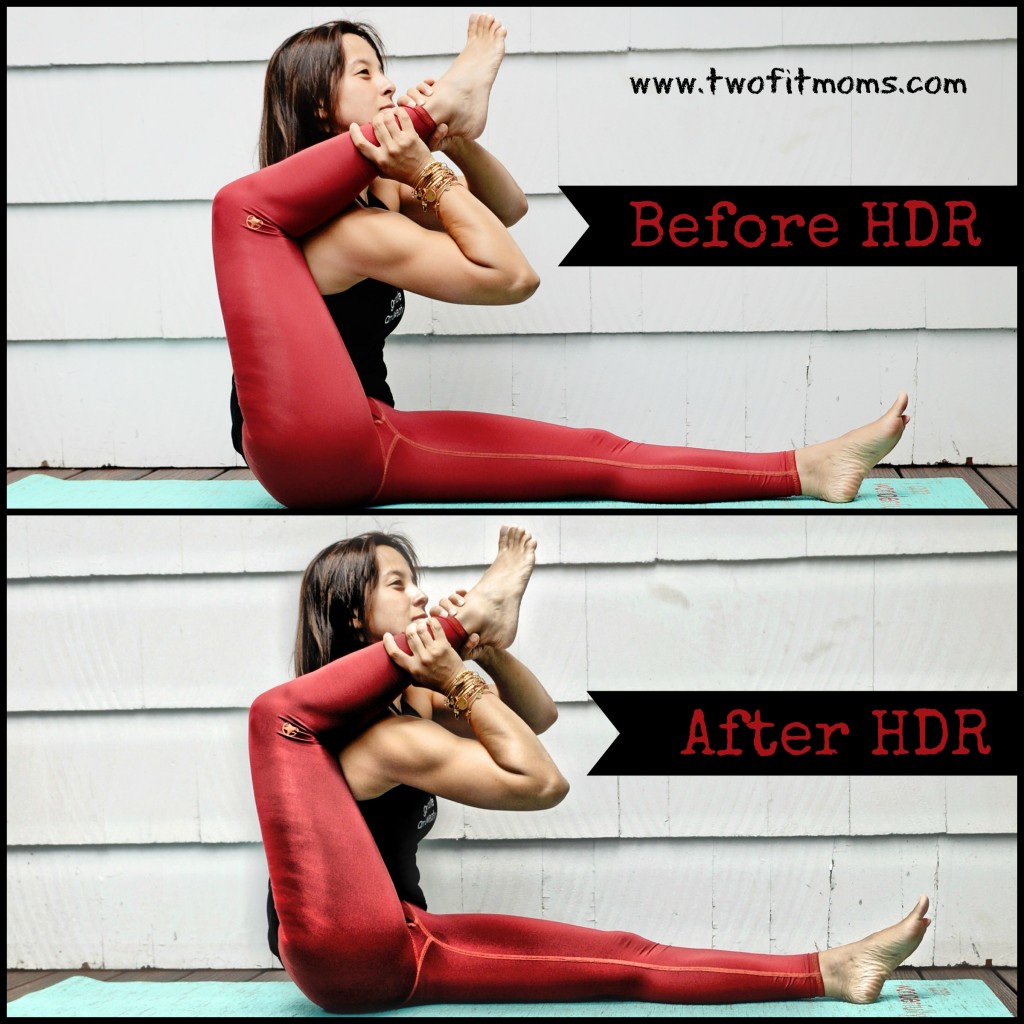
    HDRBeforeAfter
    Take a look at the two images of me lifting my leg over my shoulder. The top photo is straight out of the camera with no editing at all. The bottom photo is the same image with about 10 seconds of editing in “Simply HDR.” As you can see, the app doesn’t create muscles where there are none, but it certainly accentuates what currently exists!

    Photo editing is a fun and creative way to express yourself. Create beautiful and dramatic images by adding depth and shadow. Please keep in mind that I just focused on one aspect of this app. Obviously it can be used in many ways, not just to define one’s physique. Accentuating bodies is clearly not the purpose of this program, but it’s one application of it. Take a look at this app, and research some others on your own. Have fun!

  • Instagram Quick Tip:  Use Your Glassware!

    Instagram Quick Tip: Use Your Glassware!

    Over the past year and a half, we have received numerous questions about our Instagram photos.  These questions have ranged from, “Who takes your photos?” to “What app did you use to create that effect?”

    In order to help you navigate the fun world of Instagram, we will be writing short posts to bring you Instagram quick tips!  We will share our ideas for creating fun and interesting content for your own Instagram pages, and we will share our favorite apps for editing photos and videos.

    Today’s Quick Tip
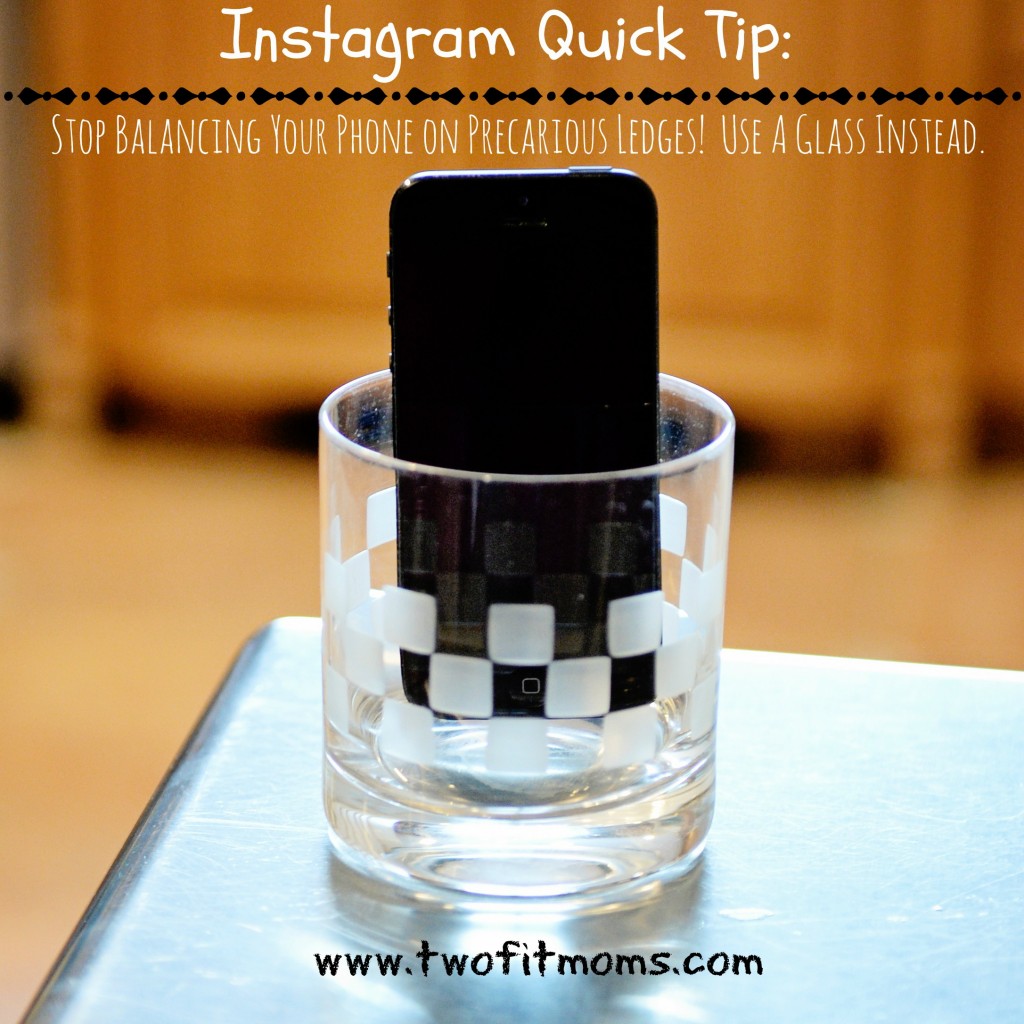
    Stop putting your phone at risk each time you take an Instagram photo!  Many of you who use a self-timer to take your own yoga portraits are leaning your phones on precarious ledges around the house in order to find the perfect photo angle.  If you haven’t cracked your phone screen as a result of it tipping over onto a hard surface, InstagramQuickTipconsider yourself lucky.

    Here’s our solution to taking photos and videos with your phone safely.  Place your phone into a heavy, short glass.

    Carry the glass around the house with you and place the glass, rather than the phone itself, onto ledges, bookshelves, counters, etc.  If necessary, stuff a washcloth in front of (or behind) the phone to get the desired photo angle.  Get the perfect shot every time using this method without the fear of cracking your phone screen!